Seller Closing Costs & Net Calculator Tutorial
This page explains the operation of the Pennsylvania seller closing cost and net calculator.
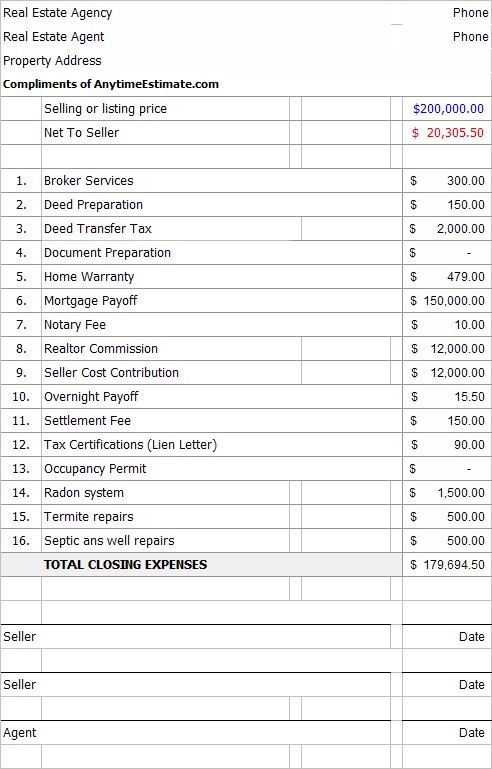
The home sale calculator will give you a good estimate of the cost to sell your home in Pennsylvania and help you determine the appropriate sales price to arrive at your desired "net" amount.
After entering the sale price, you can use the Net To Seller box (column B) to recalculate the costs from column A to achieve the desired net to seller.
» READ MORE: Seller closing costs in Pennsylvania
Sale price

Enter the sales price (i.e. $200,000) in the box on column A and click outside the box.
After completing the form, the net for the sale will appear below the sales price.
Estimated closing expenses
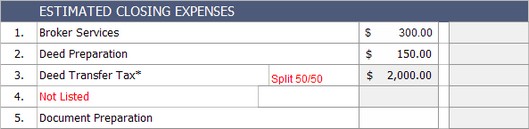
Broker Services (Line 1)
Some real estate agencies charge a flat fee in addition to the real estate commission. This fee travels by a variety of names, like, administration, record retention, etc.
Deed Transfer Tax (Line 3)
Pennsylvania and the various municipalities charge a transfer tax on property sales. The state charges 1% of the sales price and "most" municipalities and school district together charge 1% together for a total transfer tax of 2%. For example, sales price is $100,000 X 2% = $2,000. By custom, buyer & seller split the cost. The default setting is 2%, split 50/50. For more information on the deed transfer tax please refer to the PA Transfer Tax Page.
Home Warranty (Line 6)

Sellers: expect the home buyer to request a home warranty.
Realtor Commission (Line 10)

There are two real estate commission options if a real estate agent is handling the sale. If the agent is charging a percentage of the sale, use the drop down box on line 10. If however, the agent is charging a flat dollar amount like $5,000, enter that amount on line 11. The flat dollar amount overrides the percentage calculation.
Seller Cost Contribution (Lines 12-13)

It's common these days for the buyer to ask the seller to pay a percentage of the sales price to the buyer's closing costs. As with the real estate commission, you have two choices, a percentage calculation of the sales price using the drop down box on line 12 or a flat dollar amount on line 13.
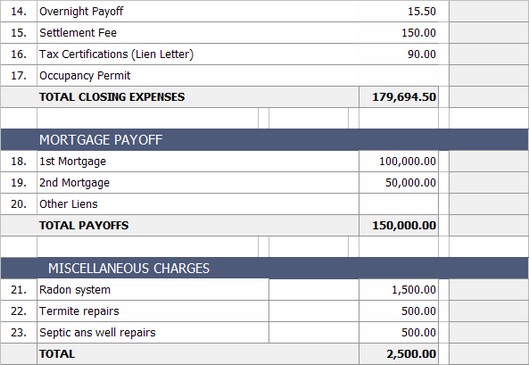
After line 13, fill in lines 14-23 as applicable.
Net to Seller

You ran the numbers and are depressed by the net amount (every seller is). You really need to "net", $30,000. How do you do that?
Simply enter $30,000 into the Net to Seller box in column B and all those cost from column A will recalculate to give you a net to seller of $30,000.
Notice that the sales price will have to be $211,143 to achieve the new net amount. You can print either column A or B using the buttons.
Click on the PRINT SCREEN link to take you to the print page.

For Agents
Agents, you can enter the name of your agency, phone number and your contact information. Click on the Seller Estimate link to return to the previous screen.